AI Receptionist for HVAC: What to Look for in 2026
Katy HVAC missed 11 calls on a 100-degree day. Learn what features matter, how call flows work, and what dispatch integration really means. Read the guide now.
Marcus Trevino runs a 6-truck HVAC company out of Katy, TX. On July 14, 2025, the Houston metro hit 101 degrees by noon. Both of his techs were already committed to full-day installs. His office manager was handling a warranty dispute on a commercial unit. Between 10 AM and 2 PM, Marcus missed 11 inbound calls. He found out when he checked his phone at 2:45 PM and saw the missed call list. By then, 9 of those callers had already booked with someone else.
At $1,100 average emergency ticket, that was $9,900 in a single afternoon. Marcus did not have a staffing problem. He had a coverage problem, and AI could have solved it.
Operator details anonymized. Based on a real LeadExploder account matching this profile.

What does an AI receptionist actually do for an HVAC business?
An AI receptionist answers every inbound call immediately, regardless of how many calls come in at once. It qualifies the caller, collects the information your tech or dispatcher needs, books the appointment or dispatches the emergency, and creates a record in your system. It does not put callers on hold. It does not miss calls when your team is slammed.
That is the core function. Everything else is configuration. The question is which configurations actually matter for HVAC and which are demo features that sound good but do not change your day-to-day.
What features actually matter vs. what is just demo fluff?
The demos are impressive. Every AI receptionist vendor will show you a smooth call where the AI handles a simple appointment booking without a hitch. That is not the hard part. The hard part is everything else.
Here is what separates a system that works for HVAC from one that just works in a demo.
Separate call paths by call type. Your office gets at least four distinct inbound call types: emergency AC or heat failure, routine maintenance scheduling, new system install inquiry, and warranty or callback. Each one has a different urgency, a different set of questions, and a different next action. An AI that runs every caller through the same script will handle none of them well. You want a system where the call type is identified in the first 15 seconds and the caller is routed to the right script from there.
Real-time availability access. If the AI cannot see your actual schedule and offer real open slots, it is taking a message and handing it off for a human callback. That is an answering service, not a receptionist. A real AI receptionist connects to your scheduler, sees your tech availability by zone, and books the appointment in real time during the call.
Emergency escalation logic. For after-hours emergency calls, the AI needs to know the difference between “the AC is running warm” and “the unit is completely out and there’s a 90-year-old in the house.” Those two calls have different next actions. The second one needs to trigger an immediate text to your on-call tech with the caller’s name, address, and call notes.
SMS confirmation sent before the call ends. The caller should receive an appointment confirmation via text before they hang up. This reduces no-shows, reduces callback volume, and removes the need for a follow-up call from your office.
For a broader look at what the platform investment covers month to month, see the full post on AI receptionist pricing before you start vendor comparisons.
How does the call flow work for emergency AC vs. routine maintenance?
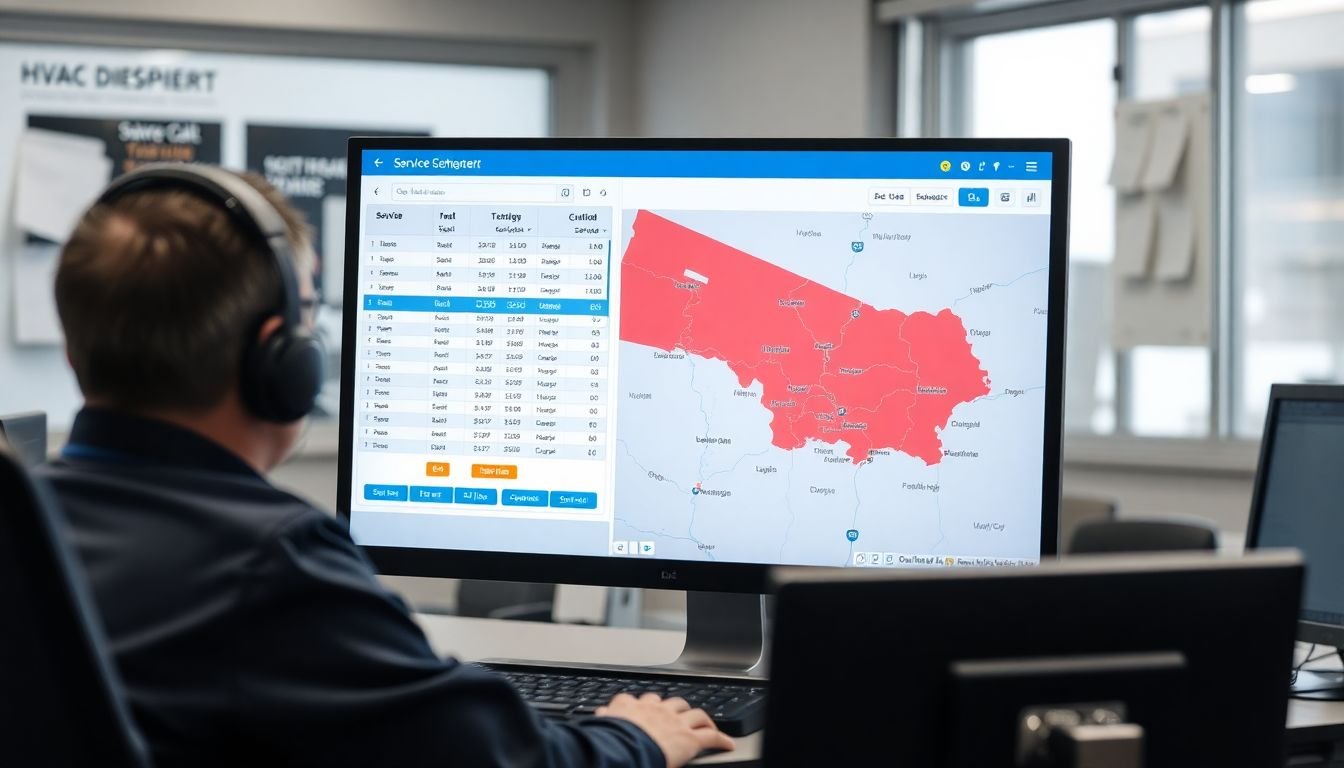
The difference matters because you handle them differently. Here is the call flow for each.
Emergency AC repair call flow:
“Thanks for calling [Company Name], this is [AI name]. It sounds like you may be dealing with an AC emergency. Is your system completely off or is it running but not cooling?”
[If completely off]: “Got it. And is there anyone in the home who is elderly, very young, or has a medical condition we should know about? [Pause for answer.] I’m going to get this dispatched for you right away. What’s the best address and the best callback number?”
[Confirms address, sends summary to on-call tech via SMS, tells caller to expect a call within 15 minutes.]
Routine maintenance booking call flow:
“Thanks for calling [Company Name]. Are you calling to schedule a maintenance visit, or is there something going on with your system today?”
[Maintenance]: “Great. What’s your zip code? I’ll check availability near you. [Pause.] We have openings on Thursday the 17th between 10 and noon, or Friday the 18th in the afternoon. Which works better for you?”
[Books the slot, confirms the appointment, sends SMS confirmation.]
The two flows are separate from the first question. You do not want a 90-degree emergency caller sitting through a zip code lookup before the AI realizes what’s happening.
How does call volume change across the year for HVAC shops?
This is something most AI receptionist vendors gloss over and most HVAC owners already know from experience: your inbound call pattern is not linear across the calendar year.
In the Houston and Dallas metros, June through August represent roughly 50% of annual emergency call volume. A Katy shop running 180 calls per month in a normal month can see 310 to 350 calls per month in July. That surge is not gradual. It can double in a single week when temperatures spike. Conversely, the lull from mid-November through February is real: call volume can drop to 90 to 110 per month for shops where the residential market is the primary revenue source.
For shops running in the Northeast or Midwest, that pattern flips: February and March are the surge months for heating emergencies.
What this means practically: your AI configuration needs to handle peak load without being tuned for peak load all year. On a 350-call July, the AI is doing serious work. On a 90-call February, it is mostly maintenance scheduling and filter reminder responses. The same configuration handles both, because the AI does not fatigue, does not have morale issues during a slow month, and does not burn out in a surge.
Seasonal surge planning: Before July, test your AI on emergency call volume. Run 20 test calls through the emergency AC path in late May, before the surge hits. Confirm dispatch alerts fire correctly. Confirm the calendar integration is pulling real-time slots. If you find issues in May, you have time to fix them. If you find them in July, you are fixing a live system during your most important revenue window.
Multi-location HVAC: managing dispatch zones and AI routing

If you run two or more service locations or dispatch from multiple zones, the AI configuration gets more nuanced but more valuable.
The most common setup: a Houston shop with a main office in Katy and a second dispatch hub in Sugar Land, covering different zip code corridors. Without AI, a caller from Missouri City who calls the main Katy number may get routed to a tech who is 45 minutes away when there is a closer tech in Sugar Land.
A properly configured AI pulls the caller’s zip code in the first 15 seconds and matches it to the correct dispatch zone. The Sugar Land caller goes to the Sugar Land tech queue. The Katy caller goes to the Katy queue. Emergency calls escalate to whichever on-call tech is assigned to that zone that night.
For shops expanding into a second location, this is one of the operational arguments for setting up AI before the expansion launches rather than after. Adding a second location without a call routing layer means double the coverage problem.
What happens when the AI mishears a caller or gets an accent or non-standard phrasing?
This is a real limitation and worth understanding before you buy.
Modern AI voice systems handle standard American English well. They handle slower, clearer speech better than fast, overlapping, or heavily accented speech. In the Houston market specifically, where a meaningful portion of callers speak with Mexican-Spanish accents or code-switch mid-sentence, the AI will occasionally mishear a term.
The most common failure: a caller who says “el air” (Spanish slang for AC unit) or “el condensador” may trigger a generic “I’m sorry, could you clarify what you’re calling about?” response instead of routing to the AC emergency path. That confusion costs 30 to 60 seconds and can frustrate a caller who is already dealing with 102 degrees inside their house.
The fix has two parts. First, add Spanish-language call handling to your AI configuration. Most platforms support this. A bilingual AI path is a straightforward addition that pays dividends in markets with large Spanish-speaking populations. Second, train the AI on common non-standard terms: “the unit,” “the box outside,” “my system,” “the thing on the wall.” These are how real callers describe HVAC equipment, not “the condenser” or “the air handler.”
For a look at how missed-call text-back works alongside AI voice answering on inbound HVAC leads, see the post on missed-call text-back for HVAC. For HVAC-specific CRM features beyond the AI receptionist, see the CRM for HVAC contractors page.
A concrete failure mode: emergency mis-routed to maintenance queue
This is the scenario that actually costs jobs, and it happens more often than vendors admit.
An HVAC owner in Pearland, TX configured his AI in early June 2024. The qualifying question at the top of the call was: “Are you calling to schedule service, or is there something else going on?” A homeowner with a completely failed AC unit at 9 PM answered “I need to schedule something right now” because she was not sure what to call a unit that just stopped working. The AI routed her to the maintenance scheduling flow. The maintenance flow offered her a slot on Wednesday. She hung up and called a competitor who answered with “Is this an emergency?” as the first question, dispatched a tech, and collected the job.
The fix is simple: the qualifying question for HVAC cannot rely on the caller to self-identify as an emergency. The AI needs to ask specifically: “Is your system completely off, or is it running but not cooling?” That yes/no branch is unambiguous. The word “emergency” is too conceptual for a caller in distress.
Check your qualifying question. If it requires the caller to volunteer the word “emergency,” it needs to be rewritten before summer.
What does “integration with your dispatch software” actually mean?
This phrase is used loosely and you should push vendors to be specific.
Real integration means the AI writes to your software. When a call ends, a job record appears in ServiceTitan, Housecall Pro, or your CRM with the caller’s name, address, call type, appointment time, and any notes the AI collected. Your dispatcher sees it without touching a keyboard. Your tech gets a job notification in their app.
Fake integration means the AI sends your dispatcher an email with the call summary. That is a handoff, not an integration. Your dispatcher still has to manually create the job record. You are just moving the paper from a voicemail to an inbox.
Ask the vendor directly: “When the AI books an appointment, does a job record appear in my dispatch software automatically, or does my team have to enter it?” The answer tells you everything.
For shops running ServiceTitan, look for a vendor who has a native ServiceTitan connection. For Housecall Pro, same question. For shops running something custom or a simpler CRM, webhook-based integration can work, but confirm the data fields that transfer. You want address, call type, appointment time, and caller notes at minimum. If the integration only passes name and phone number, your dispatcher is still doing half the job manually.
What does the ROI look like for a shop like Marcus’s?
Marcus’s 6-truck shop was running approximately 180 inbound calls per month based on his call log. His answer rate, even with a full-time office manager, was around 54%. That left roughly 83 calls per month going unanswered.
His average service ticket: $720. His average emergency ticket: $1,100.
Emergency calls represent about 30% of his volume. That is 25 emergency calls per month going unanswered, at an average ticket of $1,100. Even if the AI only recovers 30% of those, that is 7.5 jobs per month, or $8,250. His platform cost: $397 per month.
The math is not close. The question is not whether the platform pays for itself. The question is whether you spend the two weeks to set it up correctly.
What to do this week
Pull your missed call count from last month’s phone log and sort for calls that came in between 10 AM and 4 PM on weekdays. That is your core business-hours miss rate, when you should theoretically have coverage. If it is above 20%, you have a solvable problem. If July or August is your busy season, run this exercise on last summer’s data before you hit the window again.
Book a demo and see the AI receptionist call flow running live.
Alex Rocha is the founder of Mastodon Marketing, a Houston-based growth agency that runs marketing for service businesses across 70+ client sites. He built LeadExploder as the operating system he wished his clients had on day one. Learn more about Alex →
Frequently asked questions
What should an AI receptionist do for an HVAC company specifically?
At minimum it should handle emergency AC repair calls, routine maintenance bookings, new install inquiries, and warranty calls on separate scripted paths. Each call type has a different urgency and a different next step. An AI that routes all inbound calls to the same script is not built for HVAC.
How does an AI receptionist integrate with HVAC dispatch software like ServiceTitan or Housecall Pro?
Integration means the AI creates or updates a job record in your dispatch software automatically after a call. It pulls available time slots from your scheduler, offers them to the caller, and confirms the booking without any manual data entry. If the integration only sends you an email or a PDF, it is not a real integration.
Can an AI receptionist handle emergency AC repair calls after hours?
Yes. That is one of the strongest use cases for HVAC. The AI answers, qualifies the emergency (is the unit completely out? is there a baby or elderly person in the home?), collects the address and contact info, and either dispatches a tech directly or texts the on-call number with a full call summary. It does not put the caller on hold.
What does an AI receptionist cost compared to what HVAC contractors lose on missed calls?
Most HVAC shops see an average service ticket of $720 and an emergency after-hours call averaging $1,100 or more. An AI platform runs $300 to $500 per month. Recovering three missed emergency calls per month more than covers the full platform cost.