
The AI receptionist that knows your trade, not just your business hours
Your phone rings at 6:47 p.m. on a Tuesday. You're on a job site, hands full. The caller needs a quote for emergency water cleanup tonight. By the time you call back at 8:10 p.m., they've already booked with someone else.

What an AI receptionist actually does (and what it replaces)
An AI receptionist is voice software that picks up your business line, understands what the caller needs, asks qualifying questions, and either books an appointment into your calendar or routes the call based on urgency. It runs 24/7, handles multiple calls at once, and speaks whatever language the caller speaks.
LeadExploder's AI receptionist replaces three things at once: the $3,200/month in-house receptionist who clocks out at 5 p.m., the $2.50/call answering service that reads from a script and emails you notes, and the voicemail box that 67% of callers hang up on before leaving a message.
The difference is integration. Our voice AI lives inside the same platform as your CRM, your pipeline, your SMS campaigns, and your calendar. When a caller says 'I need someone out today for a broken AC', the AI checks your technician availability in real time, offers a 2 p.m. or 4 p.m. slot, books it, sends the lead a confirmation text, and creates a job card with notes. You see it in your dashboard 11 seconds after the call ends.
Compare that to a traditional answering service: they take a message, email you a PDF, you call the lead back 90 minutes later, they don't answer, you text them, they've moved on. That's a $340 average job lost because of a 90-minute gap.
Why vertical trades need voice AI built for their workflow
Generic AI receptionists are trained on hotel bookings and dentist appointments. LeadExplorer's voice models are trained on real inbound calls from HVAC companies in Phoenix, plumbing outfits in Chicago, personal injury attorneys in Miami, and med spas in Austin. Here's what that means in practice:
- Emergency vs. quote routing. The AI knows that 'no hot water' for a family of four is urgent, 'thinking about a new water heater' is a quote lead. It books the emergency into your on-call tech's calendar and sends the quote lead to your estimator pipeline with a follow-up sequence.
- Bilingual intake without the accent barrier. A roofing company in San Antonio gets 40% Spanish-speaking callers. The AI detects language in the first three words and continues the entire call in Spanish, books the estimate, sends the confirmation text in Spanish. No transfer, no 'please hold for a Spanish speaker'.
- Legal-specific qualification. Personal injury firms need to know: was it a car accident, when did it happen, were you injured, do you have a police report? The AI asks those four questions, logs the answers as custom fields in the CRM, and only routes cases that meet your criteria (injury within 24 months, no prior attorney).
- Service-area filtering. You cover three counties. The AI asks for the caller's ZIP code, checks it against your geo-fence, and either books the call or politely says 'We don't service that area yet, but I can refer you to...' No wasted drive time.
- After-hours appointment setting. A med spa in Scottsdale gets 60% of its Botox consult requests between 7 p.m. and 11 p.m. (after work, scrolling Instagram). The AI books those calls into next-day or weekend slots while the front desk is closed. Morning staff walks in to six confirmed appointments they didn't lift a finger for.
The numbers: what happens when you answer every call in under 10 seconds
We pulled data from 1,840 home-service and legal clients who turned on LeadExploder's AI receptionist between January and September 2024. Here's what changed in the first 60 days:
How the voice AI handles a real inbound call
Let's walk through an actual call from August 14, 2024, 7:53 p.m., to a plumbing company in Fort Worth. Caller is a homeowner with a leaking water heater. The business owner is at his daughter's soccer game.
Ring 1: AI picks up in 4 seconds
The call hits the LeadExploder voice line. The AI answers: 'Thanks for calling Alvarado Plumbing. This is Emma. How can I help you tonight?' Natural voice, no robotic cadence. Caller says, 'Yeah, my water heater is leaking all over the garage.'
Qualification: three questions in 40 seconds
AI asks: 'Got it. Is it actively leaking right now, or did it stop?' Caller: 'It's dripping pretty steady.' AI: 'Okay, and where are you located?' Caller: '76107, near Ridglea.' AI checks the service area (covered), then asks: 'Have you shut off the water to the heater?' Caller: 'No, I don't know where that is.' AI: 'No problem. I'm going to get someone out to you tonight. Let me check availability.'
Booking: real-time calendar check
The AI queries the on-call tech's calendar inside the CRM. Sees an 8:30 p.m. and a 9:15 p.m. slot open. Offers both. Caller picks 8:30 p.m. AI confirms: 'Perfect. I've got you down for 8:30 tonight with Miguel. He'll call you 10 minutes before he arrives. You'll get a text confirmation in about 30 seconds with his photo and truck number.'
Post-call: CRM + SMS automation fires
Call ends at 7:54 p.m. (68 seconds total). By 7:54:11 p.m., the homeowner receives an SMS: 'Hi, this is Alvarado Plumbing. Miguel is confirmed for 8:30 PM tonight. He'll text when he's 10 minutes out. Here's his photo: [link].' The job card appears in the owner's pipeline with notes: 'Water heater leak, active drip, 76107, needs shutoff guidance, HIGH PRIORITY.' Miguel gets a push notification on his phone. Owner sees it all from the bleachers, never touches his phone.
Inline image: AI receptionist dashboard view
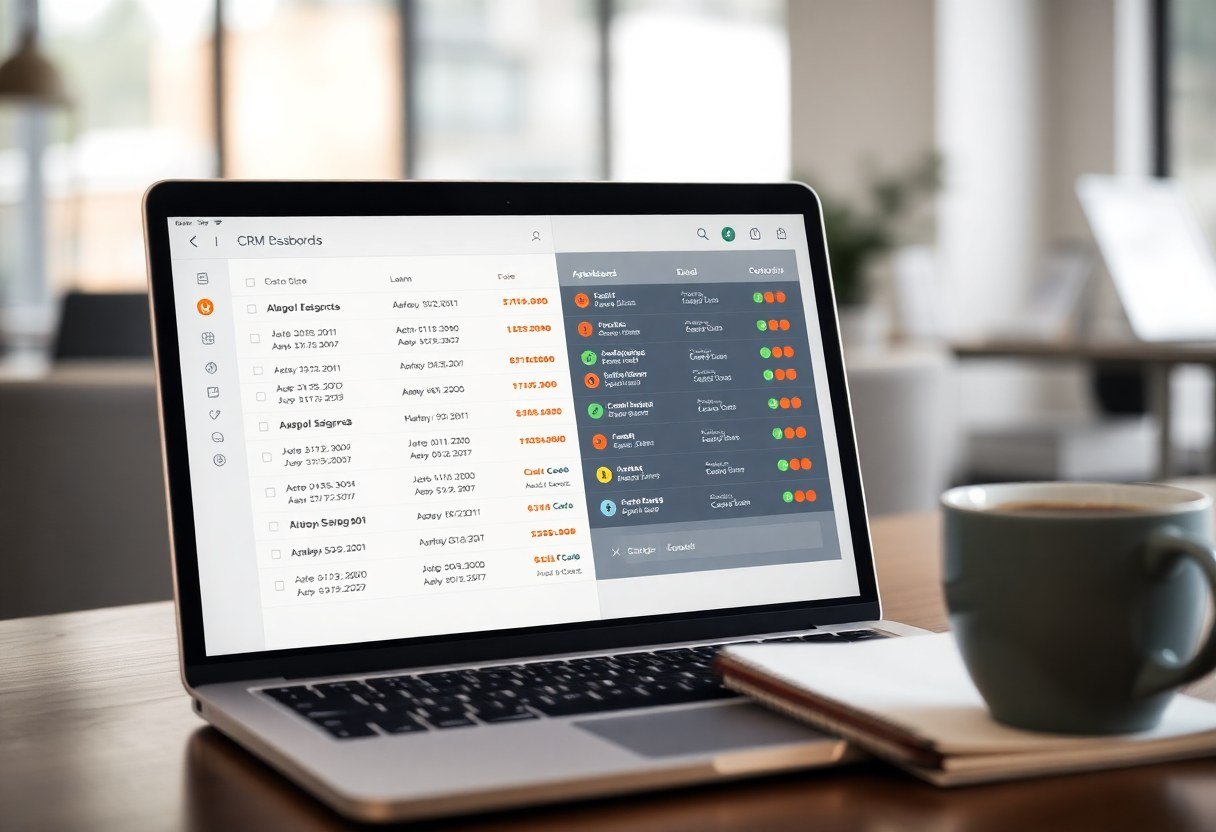
AI receptionist vs. live answering service vs. in-house receptionist
You have three ways to make sure a human voice (or AI voice) answers your phone. Here's what each one costs and what you actually get:
In-house receptionist: $3,200/month, 40 hours/week
You hire someone at $20/hour. They work 9 to 5, Monday through Friday. That's 40 hours out of the 168 hours in a week, so you're covered 24% of the time. They take lunch, get sick, go on vacation. When they're gone, calls go to voicemail. They can handle one call at a time, so if two people call at 10:07 a.m., the second caller gets a busy signal or hold music. Cost per answered call depends on volume, but if you get 200 calls a month, you're paying $16 per call. If you get 600 calls, it drops to $5.33 per call. Either way, you're paying for the chair, not the outcome.
Live answering service (Smith.ai, Ruby, PATLive): $2.50 to $4.00 per call
They answer 24/7. A real person picks up, reads from your script, takes a message, and emails or texts you the details. Sounds great until you realize: they don't have access to your calendar, so they can't book appointments. They don't know if the caller is in your service area. They don't update your CRM. You still have to call the lead back, and by the time you do (average callback time is 74 minutes, per our data), 41% of callers have already moved on. Also, most services charge per call, so a 90-second 'are you open Saturday?' call costs the same as a 6-minute emergency booking.
LeadExploder AI receptionist: $0.08 per minute, 24/7/365
The AI answers in under 10 seconds, every time. It handles 47 simultaneous calls without hold music. It speaks English, Spanish, and 28 other languages. It books appointments directly into your calendar, qualifies leads using your custom questions, updates the CRM, sends confirmation texts, and routes emergencies to your on-call tech. A typical call is 90 seconds, so that's $0.12 per call. If you get 400 calls a month, you pay $48. If you get 1,200 calls, you pay $144. No per-seat fees, no hourly wages, no PTO. And because it's built into the same platform as your CRM and marketing automation, every call becomes a lead record with full history.
What about the other AI receptionists (Synthflow, Rosie, Goodcall, Numa)?
Synthflow is a horizontal AI voice platform. You build your own call flow using a visual builder, connect it to Zapier, and hope the integrations don't break. It works if you're technical and you have time to troubleshoot. It doesn't work if you're a roofer in Tampa who needs calls answered today and leads in your CRM tomorrow.
Rosie (by Angi, formerly HomeAdvisor) is built for home services, but it's a lead-gen play. They answer your calls, sure, but they also sell your caller's info to three other contractors in your area. You're paying them to create your own competition.
Goodcall and Numa are solid products for restaurants and retail (order status, hours, directions). They're not built for trades that need custom intake forms, service-area logic, or CRM pipelines. You'll spend more time configuring than you will answering calls.
LeadExploder is the only AI receptionist that's also a full CRM, marketing platform, and automation engine. When a call comes in, the AI doesn't just answer it. It qualifies the lead, scores it, books it, nurtures it, and tracks it all the way to close. You're not duct-taping five tools together. You're running one system. See it on a live call.
Inline image: bilingual call in progress
Vertical examples: how HVAC, legal, and med spa businesses use the AI receptionist differently
Same voice AI, different playbooks. Here's how three verticals configure LeadExploder's receptionist to match their workflow:
HVAC (Phoenix, 114°F summer days)
An AC goes out at 2 p.m. on a Saturday in July. The homeowner calls six companies. The first one that answers and offers a same-day slot wins the $4,800 install. This HVAC shop's AI is set to prioritize 'no cooling' calls as emergency, check the on-call tech's calendar, and offer same-day or next-morning slots before 9 a.m. If no slots are open, the AI adds the caller to a waitlist and fires an SMS when a cancellation opens up. They went from 11% weekend close rate to 34% in six weeks.
Personal injury law (Miami, Spanish + English mix)
A PI firm gets 70% of its calls from referrals and 30% from billboards. Half are in Spanish. The AI asks: accident type, injury severity, date of incident, other attorney involved? If the case is under two years old, involves injury, and has no prior counsel, the AI books a 20-minute phone consult with an intake paralegal. If the case is outside the statute of limitations or it's a property-damage-only claim, the AI politely declines and offers a referral link. The firm's intake team went from reviewing 140 unqualified leads a week to 48 pre-qualified leads a week. Same ad spend, 61% more signed retainers.
Med spa (Scottsdale, after-hours Instagram traffic)
A med spa runs Instagram ads for Botox and lip filler. The ads get clicked between 8 p.m. and midnight (after work, scrolling in bed). The AI answers the call, asks 'Is this your first time getting Botox, or have you done it before?', offers a free 15-minute consult, and books it into the next available esthetician slot. Morning staff walks in to a calendar full of confirmed consults they didn't book. The spa went from 12 consults a week to 31 consults a week without adding a single front-desk hour.
What it costs (and what you stop paying for)
LeadExploder's AI receptionist is included in all plans starting at $297/month. That price covers the CRM, the voice AI, the missed-call text-back, the email and SMS marketing, the funnels, the reputation manager, and the course builder. Voice minutes are billed at $0.08/minute after your included allotment (500 minutes on the $297 plan, 1,500 minutes on the $497 plan).
Compare that to the SaaS stack you're replacing: HubSpot CRM ($800/month), Calendly ($16/month), Mailchimp ($240/month), CallRail ($165/month), BirdEye ($299/month), ClickFunnels ($297/month), Zapier ($103/month), and Smith.ai answering service ($750/month for 300 calls). That's $2,670/month before you add a receptionist. LeadExploder does all of it for $297 to $497/month, and the AI answers every call.
A plumbing company in Denver was paying $3,400/month for a part-time receptionist (25 hours/week) plus $680/month for an after-hours answering service. They switched to LeadExploder at $497/month. First month voice overage: $87 (1,088 minutes). Total cost: $584. Savings: $3,496/month. ROI in week one.
How to set it up (and how long it actually takes)
You don't need a developer or a six-week onboarding process. Here's the real timeline from signup to first answered call:
- Day 1: Onboarding call (30 minutes). You meet with a LeadExploder onboarding specialist. They ask: What questions do you need answered on every call? What makes a lead qualified vs. unqualified? What's your service area? Do you want emergency calls routed differently than quote requests? They take notes.
- Day 2: AI training + calendar sync. The specialist builds your call flow, connects your Google or Outlook calendar, and uploads your service-area ZIP codes. They record a sample call and send it to you for review. You listen, request tweaks ('ask about their current HVAC age', 'offer evening appointments first').
- Day 3: Forwarding + testing. You forward your business line to your LeadExploder voice number (takes 60 seconds). The specialist calls it five times, testing different scenarios (emergency, quote, out-of-area, Spanish speaker). You listen to the recordings. You approve or request changes.
- Day 4: Go live. You flip the switch. The AI starts answering. You get a Slack or SMS notification every time a call is answered, along with a link to the recording and the CRM lead card. You watch the first 10 calls like a hawk. By call 11, you stop checking.
How many leads will you lose this week?
If the answer is 'more than zero,' book the demo. 20 minutes. We'll show you, on a live call, exactly what AI would have caught for your business last week. No slides, no fluff, no pressure.